
Key Takeaways
- Start with the “why.” PJ Rossi says that about 75% of the time, organizations can’t clearly say what problem their AI tool is meant to solve.
- An AI readiness framework has nine checks in three phases: Prepare (strategy, AI visibility, people readiness), Govern (governance, legal and accessibility, data and security), and Operate & Improve (controls and testing, documentation, ongoing monitoring).
- Data protection is the biggest readiness gap. 36% of attendees named it their top concern, followed by knowing where and how AI is used (25%).
- Inventory what’s already running. Some employers learned through the Mobley v. Workday litigation that AI features had been switched on in tools they’d used for years.
- Name an owner. Someone needs decision rights over each tool, including the authority to pause it.
- Most AI misses are human-use problems. Shadow AI, untested résumé-gap filters, and unverified AI-written terminations all failed for lack of controls.
- Hits share a pattern. The best use cases automate logistics and synthesis, cite their sources, and route sensitive topics to a person.
End of summary box.
Who Owns Your AI? Part 2 of Our AI in Talent Acquisition Playbook Recap
From “Is It Legal?” to “Are We Ready?”
In Part 1 of our recap of DirectEmployers’ AI in Talent Acquisition Playbook: Hits, Misses & Compliance Strategies virtual event, we dug into the legal landscape and the uncomfortable efficacy data. That included a real-world example where 80% of candidates who received offers had scored “Fair” or “Low” on an AI match tool.
The second half of the October 14 event moved from what could go wrong to how to get it right. PJ Rossi, MS, SPHR, of Forté Advisory Group led the way with her AI readiness framework. Michelle Duncan, Esq., Partner at Silberman Law, added the legal lens throughout. Then the two closed the day with a lively round of real-world hits and misses from the field.
Play 3: The AI Readiness Framework, Nine Checks for Responsible AI in HR
“You don’t need to become a machine learning engineer,” PJ told the room as she opened Play 3. “Trust me, that’s certainly not me at all.” What you do need is enough command of your own workflow to recognize when technology changes it.
First, a gut check. Asked which readiness area needs the most attention in your organization?, attendees said:
- 36%: Protecting data and addressing applicable requirements
- 25%: Knowing where and how AI is used
- 14%: Training recruiters and hiring managers
- 14%: Testing and ongoing monitoring
- 7%: Not sure
- 4%: Assigning ownership and meaningful human review
Ownership came in last, but PJ had a story about why it shouldn’t. She once sat at a table with about 10 people after spotting a problem with a newly implemented system, and asked who owned the tool. “Literally, everybody pointed at each other,” she said. That two-hour conversation cost several thousand dollars in salary time and still didn’t produce a clear owner.
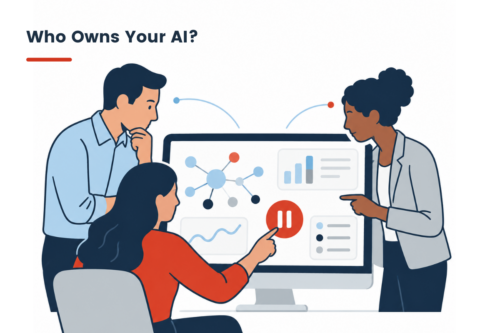
Every AI tool needs a named owner with the authority to question its output, escalate concerns, and pause its use.
The AI readiness framework at a glance
PJ’s framework organizes nine checks into three phases:
| Phase | Check | What it means |
|---|---|---|
| Prepare | 01 Strategy & Purpose | Define the business need and measurable outcomes |
| Prepare | 02 AI Visibility | Map tools, vendors, and the decisions AI influences |
| Prepare | 03 People Readiness | Train users and prepare teams for changes to their work |
| Govern | 04 Governance | Name an owner; enable human challenge and intervention |
| Govern | 05 Legal & Accessibility | Confirm applicable duties, notices, and accommodations |
| Govern | 06 Data & Security | Protect personal data; verify quality, access, and vendor use |
| Operate & Improve | 07 Controls & Testing | Approve uses; test accuracy, fairness, and job relevance |
| Operate & Improve | 08 Documentation | Retain decisions, testing, and review records under policy |
| Operate & Improve | 09 Ongoing Monitoring | Track outcomes and changes; escalate issues and pause use |
Highlights from the Nine Checks
Strategy & Purpose. PJ’s first question is always “What is it that you’re solving for?” About 75% of the time, she said, there isn’t a solid answer. Michelle added that many organizations are working under corporate-wide AI adoption mandates. Or, as PJ put it, “they went to a conference and saw something really, really sexy.” If the goal is headcount reduction, PJ is candid: “That’s not how this goes.” The work shifts to monitoring, and the people doing it today can be reskilled to do that.
AI Visibility. Do you know which of your existing vendors have embedded AI? Michelle shared that when Workday was required to produce a customer list in Mobley v. Workday, some of her clients on that list “didn’t know we had turned on any of the AI capabilities.” PJ once caught an AI sourcing feature buried in a routine list of Workday system updates. Her advice: inventory your whole tech stack, and keep checking. Michelle added that tools vendors say “don’t make decisions” still belong on the list if anyone relies on their output.
People Readiness. One organization told PJ they would “just let it rip.” Employees panicked about losing their jobs, and adoption fell flat. “Communicate to the people,” she said. “Be transparent about it.” Michelle suggested building a shared prompt library and a feedback loop so users can flag outputs that look wrong.
Governance. Michelle noted that early AI governance tables were “very heavy on the tech side”: IT, privacy, a contracts lawyer, and no one from employment law or HR. “Having someone from HR as a stakeholder is incredibly important,” she said, “because we understand compliance in a way that is really lost on a lot of other subject matter experts.”
Legal & Accessibility. PJ once asked an employer how AI opt-outs worked. The answer: if the applicant opts out, they won’t be considered. “Wrong answer.” Michelle noted that Section 503 accommodation obligations still apply with AI tools. That matters most for things like gamified assessments that quietly score mouse movement and keystrokes, which applicants with disabilities may not know to ask about.
Data & Security. Michelle flagged Kistler v. Eightfold, a California case in which former OFCCP Director Jenny Yang represents the plaintiffs. It alleges that an AI tool using third-party data effectively creates a consumer report under the Fair Credit Reporting Act. PJ is watching it closely: “That changes the landscape.”
Documentation. Michelle described an employer that kept AI interview transcripts for just five business days. “Hold on a minute,” she said. Records must be kept for at least a year under Title VII, and California’s FEHA regulations now require four years.
Ongoing Monitoring. “This is not a one and done,” PJ said. Know who has the authority to pause a tool when it goes sideways.
Intended Use vs. Actual Use
The final poll posed a scenario: AI was approved to summarize résumés. A recruiter now uses it to recommend whom to interview. What should happen next?
- 54%: Gather more information before deciding
- 46%: Review and approve the expanded use before continuing
Michelle sided with the majority. “I would want to know, is this a one-off situation?” she said. “We know nothing about whether it’s even effective.” Either way, the decision goes back to the stakeholder committee that approves use cases. And if you don’t have one yet, that’s your first gap.
Play 4: Top Hits & Misses in the Field, a Little “Reality TV”
PJ promised the closing Play would feel “a little reality TV-ish,” with every example anonymized and “the names changed to protect the innocent.” It delivered. Each case came paired with the control that would have prevented the miss, or made the hit work.
The Misses
- Shadow AI. A manager pastes an employee’s medical leave notes into a public chatbot to draft a response. Michelle noted that drafting replies is normally a low-risk use. Doing it on a personal device with a public tool “turns it into a high-risk use of AI.” Control: a written AI use policy and approved tools.
PJ added a cautionary tale about an AI agent at a tech firm, set up to send emails with no human approval step. When recipients didn’t reply quickly enough, it began sending what PJ called “spicy” follow-ups. Michelle’s takeaway: agentic AI acts autonomously across multiple steps, so it needs clear guardrails from day one.
- The gap penalty. A screening tool quietly downranks résumé gaps, hitting caregivers, veterans, and people with disabilities hardest, and nobody tested for it. Adverse impact testing is the gold standard, but Michelle acknowledged the data for these groups is often thin. Her practical fix: “Removing that from the algorithm would be something that you could just do automatically.” Control: adverse-impact testing.
- The AI-written termination. A performance write-up drafted by AI cites “facts” not in the file and becomes Exhibit A in a wrongful-termination claim. “This is not an AI problem,” Michelle said. “This is a human use problem.” She also predicted employers’ “biggest regret” will be replacing the HR generalist with a chatbot as managers’ first stop, since every message typed into it becomes a permanent business record. California’s new No Robo Bosses Act, signed October 1, bars relying solely on AI for discipline and termination decisions. Control: human review and documentation before any adverse action.
- Productivity scoring. Keystroke monitoring flags an employee on intermittent FMLA leave as a low performer, creating retaliation exposure. Michelle shared a similar case. An AI badge-swipe report flagged employees for low office hours because it assumed a 2,080-hour schedule, ignoring everyone on approved reduced schedules. Control: check monitoring outputs against protected leave and accommodations.
The Hits
- Benefits Q&A bot. A 300-person firm loads its open-enrollment FAQs into a chatbot, and HR tickets drop sharply. “I love a good bot. I really do,” PJ said, as long as the knowledge base stays current. Michelle shared why testing matters. One applicant-facing bot built on a public model told candidates for non-exempt roles that overtime would be paid in comp time, which is an FLSA problem. Control: human handoff for sensitive topics.

Useful HR chatbots rely on current, approved information and a clear handoff to a person for sensitive questions.
- Job description cleanup. AI flags exclusionary wording like “rockstar” or “digital native” before a posting goes live, and a human makes the final call. Control: human edits; AI only suggests.
- Interview scheduling. A recruiter hands off the calendar back-and-forth and gets hours back for real candidate conversations. Michelle used this one to show how fast risk can escalate. Add AI transcription, and you’ve created records you must retain. Add AI that ranks candidates from those transcripts, and “now you’ve created a true selection tool.” Her rule of thumb: “Anything that rates, ranks, scores, categorizes, recommends” will be used to influence a decision. Control: automate logistics, not decisions.
- Exit interview themes. AI summarizes a year of exit surveys and surfaces one manager’s team driving a large share of turnover, so HR can step in. “Data synthesis is an AI superpower,” Michelle said, adding that doing this work under attorney-client privilege is even better. Control: aggregate, de-identified data.
- Policy handbook search. Managers ask an internal assistant, “Can I deny this PTO request?” and get the actual policy section cited. The result is more consistent decisions and fewer grievances. Control: answers grounded in approved policy, with citations.
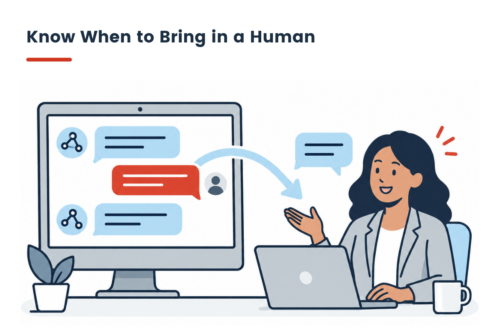
Michelle’s closing thought tied all of these examples together: “These are an aid… We need to make sure that we don’t elevate it beyond an aid and simply defer to the output without us doing that kind of trust-but-verify step.”
What’s Next – Exciting, Terrifying, and Manageable
PJ brought the day full circle. “I think I started this conversation with an exciting and terrifying time in our professional lives,” she said, “and that still rings true today.”
The second half of the Playbook made the path forward concrete. Know what you’re solving for. Know what AI is already running in your stack. Put HR at the governance table and name an owner who can hit pause. And treat every AI output as an aid, not an answer.
Missed Part 1? Read our recap of the legal landscape and the efficacy data →
Keep the conversation going at DEAMcon27
PJ Rossi, Michelle Duncan, and Krystal Welland will all be on-site at DirectEmployers 2027 Annual Meeting & Conference (DEAMcon27), April 21–23, 2027, in Newport, Rhode Island.
Michelle didn’t hold back when asked about it. “DEAMcon is one of the best conferences I have ever attended,” she said. “If you only have the ability to choose one conference each year, I would put DEAMcon really high on that list.” PJ agreed: “The content really is designed and structured to benefit you.”
In the meantime, access the event replay in DE Connect, along with the companion summary resource. Keep an eye out for Member office hours to ensure you have the knowledge and information you need to excel in your daily responsibilities!
THIS COLUMN IS MEANT TO ASSIST IN A GENERAL UNDERSTANDING OF THE CURRENT LAW AND PRACTICE RELATING TO OFCCP. IT IS NOT TO BE REGARDED AS LEGAL ADVICE. COMPANIES OR INDIVIDUALS WITH PARTICULAR QUESTIONS SHOULD SEEK ADVICE OF COUNSEL.

Let’s chat!
Fill out this form to indicate which solutions you’re interested in and we'll contact you shortly to schedule a demo.